

Voice Changing Video Vox ReMix
Record or remix videos with robot, chipmunk, helium and violin voices
Screenshots


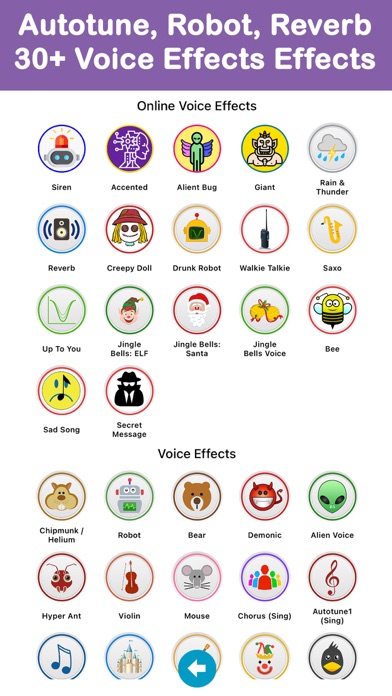
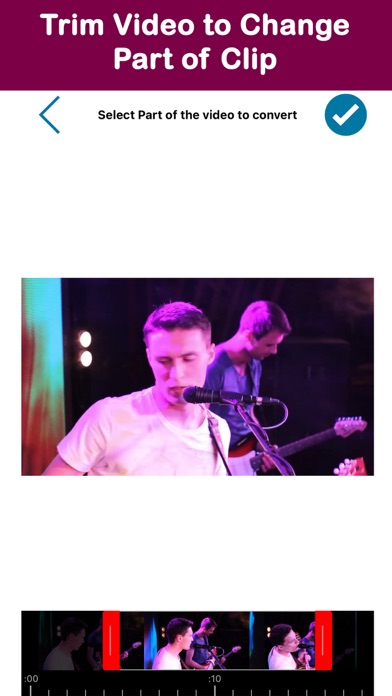

About Vox ReMix
Vox ReMix is a voice changing video app built for one thing: making people laugh. Record a new clip or grab any video from your phone, pick an effect — robot, chipmunk, helium, bear, even violin or guitar — and hear the whole thing transformed. Add the speed changer, which can fast-forward or slow-motion both voice and video, and ordinary moments become party material.
Because Vox ReMix works as a video voice changer for existing footage too, the fun is not limited to what you film today. Convert a clip of your favorite star singing and play it back in a squeaky chipmunk voice, or slow a friend’s speech into a deep bear growl. Front and back cameras, portrait and landscape modes, and flash support for dark rooms keep recording simple.
If you want to change voice in video without a complicated editor, this is the app: three steps — choose a video, pick an effect and speed, record. Then share your creation by message, mail or Facebook, or export it to your camera roll and become the life of any party.
Key features
Hilarious voice effects
Talk like a robot, squeak like a chipmunk, growl like a bear, or sound like a violin, guitar or helium balloon.
Remix existing videos
Convert a video already on your phone or record a brand-new one — even a favorite star's song becomes hilarious with a new voice.
Speed control
Speed up or slow down both voice and video to push any clip from funny to absolutely absurd.
Easy recording and sharing
Use the front or back camera in portrait or landscape, with flash support for dark rooms, then share by mail, message or Facebook or export to your camera roll.
How to use Vox ReMix
Download Vox ReMix from the App Store
Vox ReMix is free to download and works on iPhone and iPad running iOS 11.3 or later.
Pick a video source
Select an existing video from your library to convert, or choose to record a new one with the front or back camera.
Choose a voice effect and speed
Pick robot, chipmunk, helium, violin, guitar, bear or another effect, then speed it up or slow it down.
Record, watch and share
Record the clip, laugh at the result, then share it by mail, message or Facebook, or save it to your camera roll.
Frequently asked questions
How do the voice effects in Vox ReMix sound?
Vox ReMix applies real audio transformations — robot, violin, guitar, helium, chipmunk, bear and more — to the voices in your video. Combined with the speed changer, which can speed up or slow down both voice and video, even a sad song turns hilarious.
Is Vox ReMix free to use?
Vox ReMix is free to download from the App Store and you can start recording right away. Some premium features may be offered inside the app, such as unlocking all effects and removing ads, the watermark and the recording time limit.
Does Vox ReMix work offline?
Recording and voice effects are processed on your device, so you can generally make videos without a connection. You will need internet access to download the app and to share your clips online.
Can I change the voice in a video I already have?
Yes — that is one of the best parts. Select any existing video from your phone, pick a voice effect and speed, and Vox ReMix converts it. Try it on a recording of your favorite singer for guaranteed laughs.
Can I record in the dark or in landscape?
Yes. Vox ReMix supports both portrait and landscape orientation, works with the front and back cameras, and can use your device's flash to record video in the dark if your device supports it.
Which devices does Vox ReMix support?
Vox ReMix runs on iPhone and iPad running iOS 11.3 or later. An Android version is planned — check back on this page for the Google Play link.
Get Vox ReMix today
Free to download — join the users who already love it.