Ink Me Tattoo Maker Art Booth
Try any tattoo on your photo — no pain, no commitment
Screenshots

About Ink Me
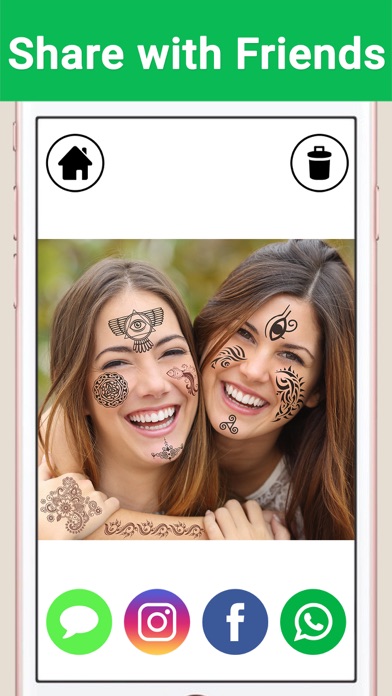
Ink Me answers the question every tattoo daydreamer asks: how would it actually look on me? Choose or snap a photo, browse hundreds of designs, and place them on your skin — zooming, rotating and adjusting the ink’s darkness until it sits just right. All the fun of a new tattoo, none of the needles.
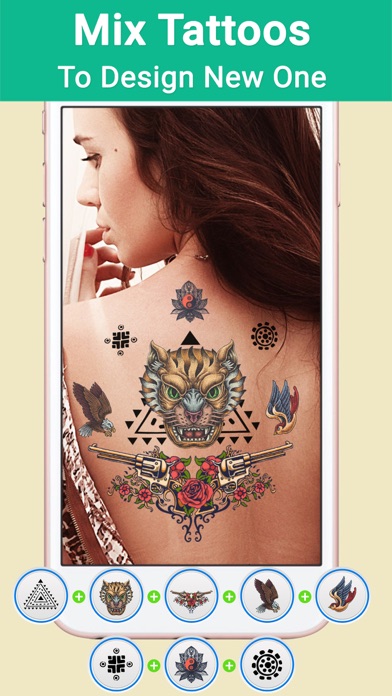
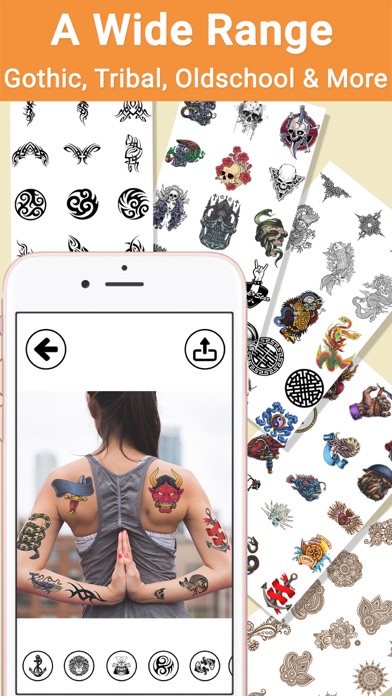
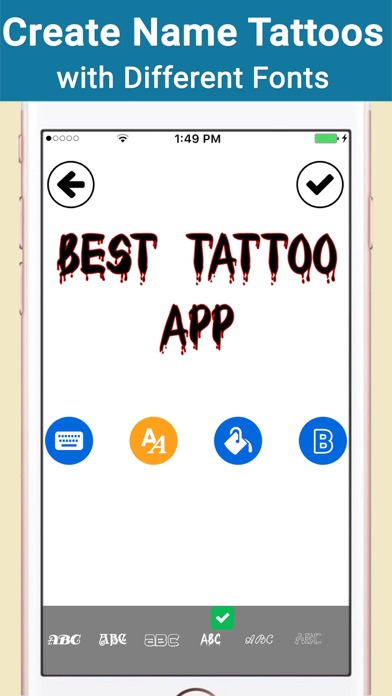
The library is genuinely deep, covering Tribal, Celtic, Gothic, Old School, Zodiac, Asian, Henna, Egyptian, Mayan, Animal and Dragon styles, and you can layer as many designs as you want into one composition. Text tattoos with custom fonts and colors let you test a name or phrase, and every creation lands automatically in the in-app gallery.
Ink Me suits the seriously tattoo-curious previewing a real design decision, and pranksters sending suspiciously convincing “new ink” photos to friends. Either way, save it to your camera roll or share it straight from the app.
Key features
A huge tattoo library
Browse designs across Tribal, Celtic, Gothic, Old School, Zodiac, Asian, Henna, Egyptian, Mayan, Animal and Dragon categories.
Text tattoos in any style
Write names or words as tattoos using different fonts and colors — perfect for trying out that special name.
Placement that looks real
Zoom, move, rotate and flip each tattoo, then adjust how dark or light it appears on your skin.
Mix, save and share
Combine as many tattoos as you like into one design, keep creations in the built-in gallery, and share them anywhere.
How to use Ink Me
Download Ink Me from the App Store
Ink Me is free to download and works on iPhone and iPad running iOS 9.0 or later.
Choose or take a photo
Pick a photo from your library or snap one with the camera — any shot showing skin works.
Pick and place your tattoos
Browse the categories or write a text tattoo, then zoom, move, rotate and flip it into position and set how dark it appears.
Save or share your design
Your creation is saved automatically to the in-app gallery, and you can share it or save it to your camera roll.
Frequently asked questions
How realistic do tattoos look in Ink Me?
Ink Me gives you the controls that matter for realism: you can zoom, move, rotate and flip each design, and adjust how dark or light the ink appears against your skin tone. With careful placement on a clear photo, the results are convincing enough to prank your friends.
Is Ink Me free to use?
Ink Me is free to download from the App Store. You can start placing tattoos on photos right away; some premium features may be offered inside the app.
Does Ink Me work offline?
Yes, for the core experience. Tattoos are applied to photos directly on your device, so you can design without a connection — you'll only need internet to share your creations online.
Which devices does Ink Me support?
Ink Me runs on iPhone and iPad running iOS 9.0 or later. An Android version is planned — check back on this page for the Google Play link.
What tattoo styles are included in Ink Me?
The library spans Tribal, Celtic, Gothic, Old School, Zodiac, Asian, Henna, Egyptian, Mayan, Animals, Dragons and more. You can also mix multiple tattoos together to build a completely original design of your own.
Can I create a name or text tattoo in Ink Me?
Yes. Ink Me lets you write any word or name as a tattoo using a range of fonts and colors, so you can preview exactly how that meaningful text would look on your skin before ever visiting a studio.
Get Ink Me today
Free to download — join the users who already love it.